One click from page to playing
- Downloads from Pixeldrain, MEGA, MediaFire and BuzzHeavier, with resume
- RPDL torrents and JDownloader hand-off
- Multi-part RAR and 7-Zip built in
XLibrary keeps all your PC games in one place, from Steam, GOG, itch.io or your own files, and it is especially good with visual novels and adult (18+) indie games. Add a game from F95zone, Steam, DLSite, itch.io or eight other sites, and XLibrary downloads it, installs it and keeps it updated without touching your saves.
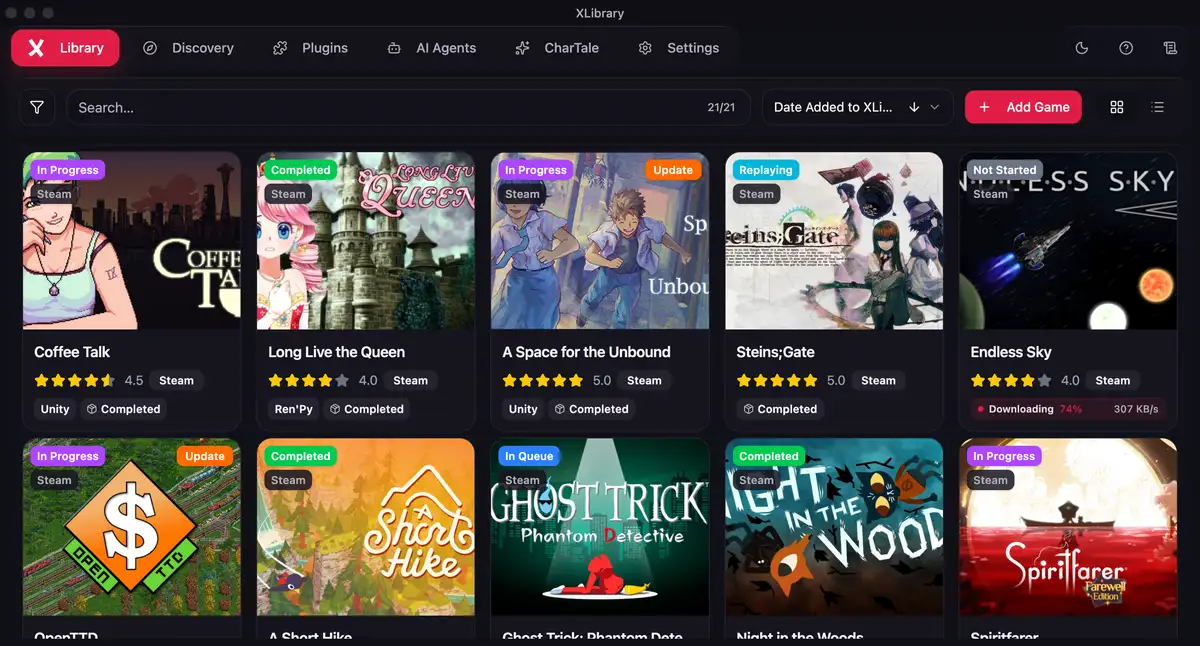
No setup guide. Point XLibrary at a games folder and add your first game.
Press “Add & install” on a game's page. XLibrary picks the best mirror for your system, downloads it, unpacks the archive (passwords included), finds the right launch file and tells you when it's ready to play. If a host has removed the file, it moves to the next mirror on its own.
Pixeldrain, MEGA, MediaFire, BuzzHeavier, RPDL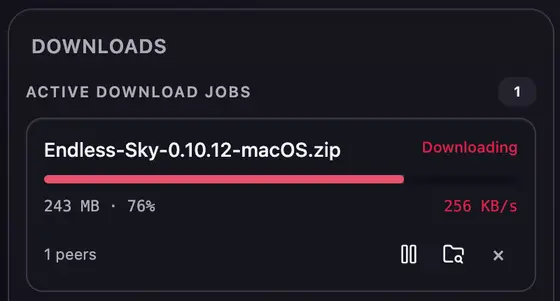
When a new version is out, you get a notification with an Update button. XLibrary installs it next to the old one, backs up your saves, moves your mods and translations over, and keeps the previous version until the new one has run fine twice.
Saves backed up before every update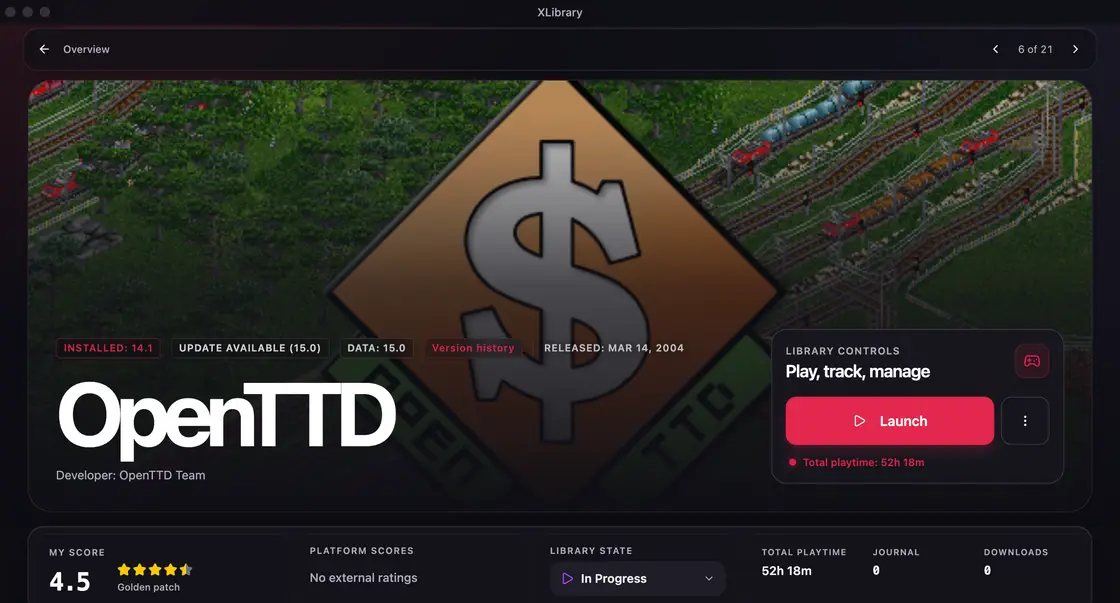
The same game on F95zone, Steam and VNDB becomes one entry with every link, rating and screenshot. Your owned Steam games show up too, ready to add.
Steam Discovery, native or in CrossOver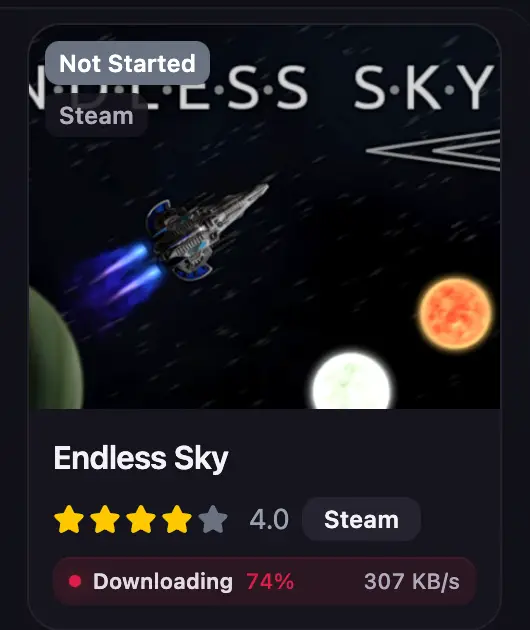
The same game listed on three sites becomes one card. XLibrary links them by shared links and codes such as VNDB IDs, RJ codes and Steam app IDs.
Search and game details come from the XLibrary catalog, with no per-site rate limits. Data and covers load even where F95zone and other sites are blocked.
The catalog never serves game files. Downloads go straight from Pixeldrain, MEGA, MediaFire, BuzzHeavier, RPDL or JDownloader to your computer.
Local smart search finds translated, transliterated and non-Latin titles. DLSite RJ, BJ and VJ codes work in Add and Bulk Add.
Most apps ask you to trust their privacy policy. XLibrary shows you its traffic.
Every request to our catalog server is listed on your computer with what was sent and what came back, plus the one-time keys to decrypt it. Capture the traffic with mitmproxy, Charles or Wireshark and check it right in the app: each exchange has its own one-time key, and with it you can read the captured request.
The server keeps your anonymous install key and when it was last used. Not your searches. Not your library.
How XLibrary handles your data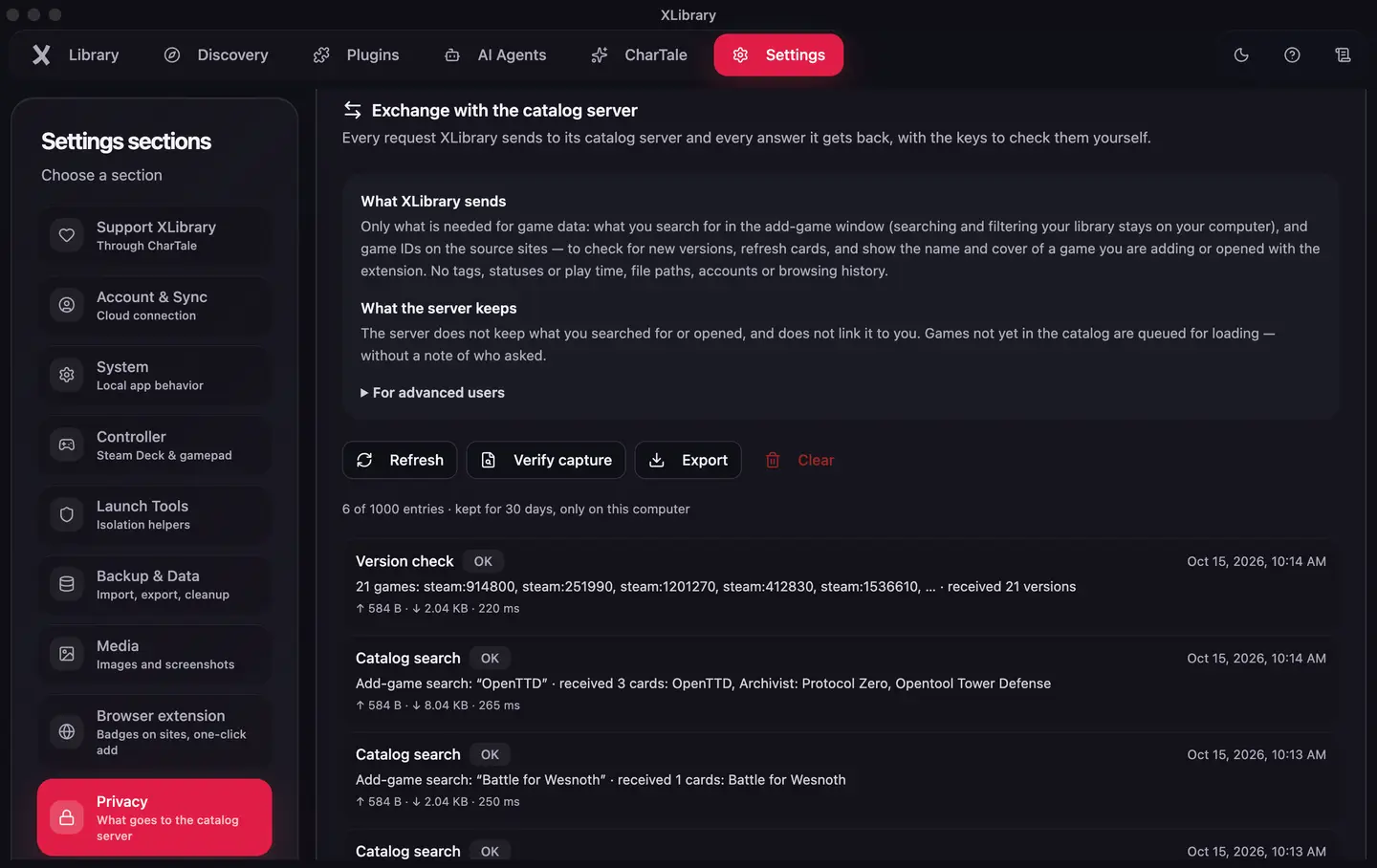
Check a capture yourself:Settings → Privacy → Verify capture
Windows-only games run on Mac and Linux through the tools you already know. XLibrary sets them up for you.
Installer or portable. Locale Emulator and Sandboxie per game.
Apple Silicon. Windows games through CrossOver or Whisky, set up automatically.
AppImage, .deb or .tar.gz. Wine, Proton, UMU and Bottles.
Its own Gaming Mode shell with an in-game overlay.
XLibrary runs as its own shell in Gaming Mode, with an in-game overlay, an on-screen keyboard that types through Steam Input and a trackpad cursor for games that expect a mouse. The shell mode is in Alpha: it works, and it's still changing.
Bring your library with you. XLibrary imports F95Checker databases with game paths, Game-List folders, EmulationStation, Batocera and ES-DE libraries, and its own JSON exports, with a preview before anything changes.
On catalog pages, the browser extension marks games you have, shows your status, rating and playtime, and adds or installs a game in one click.
Didn't find yours? The full FAQ has 36 answers, and the Discord answers the rest.
Read the FAQYes. XLibrary is free to download and use on every platform. There are no subscriptions.
No. The app is closed source. The Plugin SDK is MIT-licensed, and every request the app sends to its server is visible and verifiable in Settings → Privacy.
Twelve: F95zone, LewdCorner, Steam, itch.io, DLSite, VNDB, GOG, Getchu, Ryuugames, Anime-Sharing, LewdGames and FapForFun. Downloads work with Pixeldrain, MEGA, MediaFire, BuzzHeavier, RPDL torrents and JDownloader.
No. XLibrary backs up your saves before every update and installs the new version next to the old one. You can restore saves or go back to the previous version from the launch menu.
Yes, on Macs with Apple Silicon. Windows-only games run through CrossOver, which XLibrary can set up for you. There is no build for Intel Macs. Steam Deck has a dedicated Gaming Mode shell, currently in Alpha.
Yes. XLibrary imports F95Checker databases including game paths, and also Game-List, EmulationStation, Batocera and ES-DE libraries.
XLibrary is free. If you really want to support its development, subscribe to CharTale or recommend it to your friends. CharTale is another project by the same developer.
An AI roleplay platform where characters remember. World state, time of day, inventory and lore carry over between sessions, so the story picks up where it left off. Free to start, no card needed.
Visit CharTale